Cloud Phone vs Physical Phone: A Full Comparison
Mobile gaming is evolving fast, and more players are discovering the power of cloud phones. Unlike physical devices, cloud phones run 24/7 on remote servers, allowing gamers to automate tasks, save local storage, and manage multiple accounts with ease.
If you’re looking for the most stable and gamer-friendly solution, VipPlayer Cloud Phone is your go-to platform.

Cloud Phone vs Physical Phone: Which Is Better?
Advantages of Cloud Phones
-
Free up storage space – Install games directly in the cloud and keep your personal device lightweight.
-
24/7 auto-play – Games keep running even if your real phone is switched off.
-
Multi-account farming – With multi-device management, you can handle dozens of accounts at once.
-
Safe and secure – Data is encrypted and can be restored anytime.
-
Advanced tools without root – Supports automation, ADB, and scripts.
Limitations
-
Monthly subscription fees
-
Performance depends on provider quality
-
Minor network-related latency
For casual play, a physical phone is fine. But for AFK grinding, bot setups, or studio-scale operations, cloud phones are unmatched.
Why Choose VipPlayer Cloud Phone?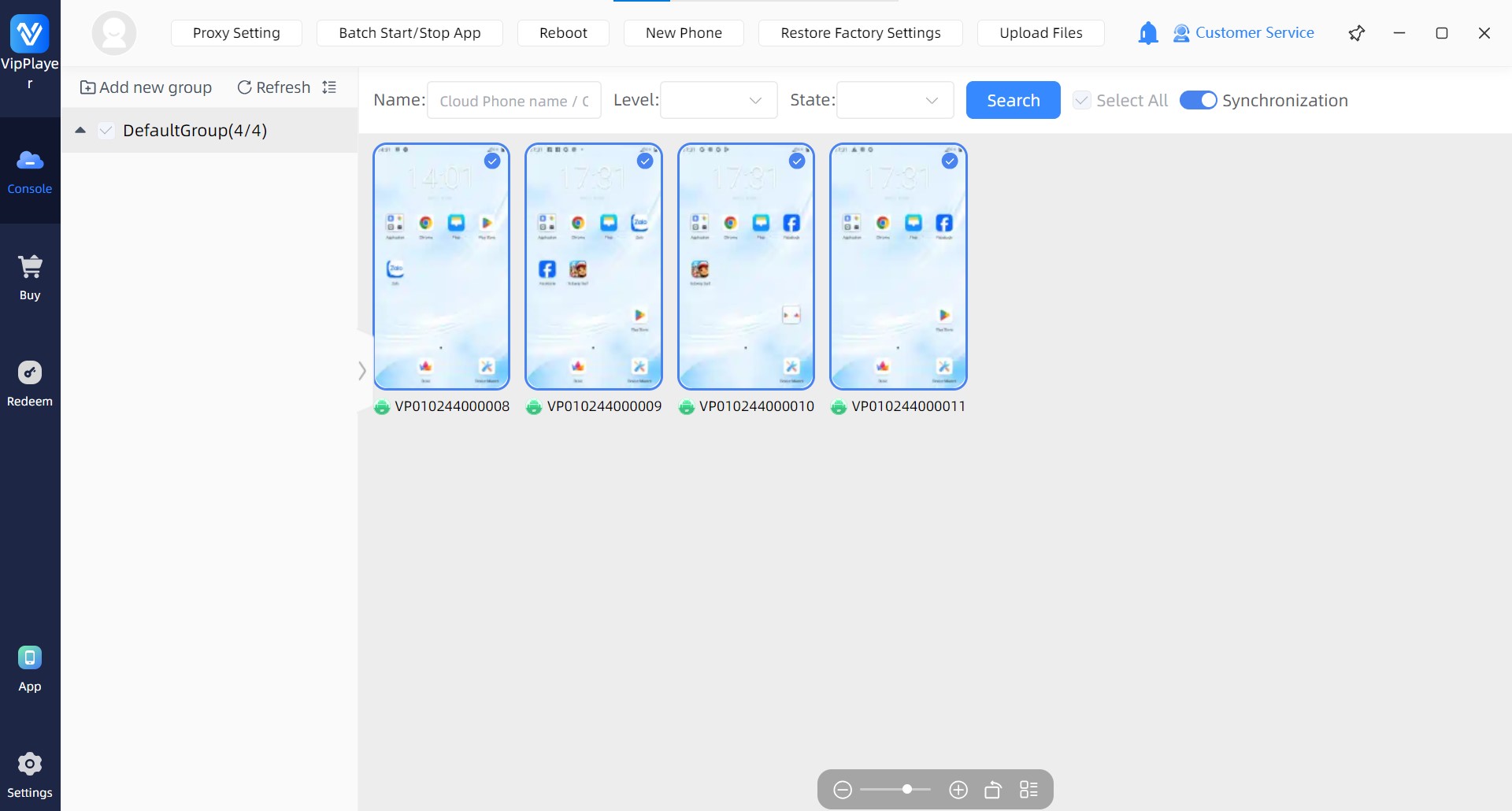
When comparing different platforms (like Redfinger Cloud Phone or MuMu Emulator), VipPlayer Cloud Phone offers:
-
Optimized for Roblox, Genshin Impact, Ragnarok, and other popular mobile games
-
One-click device cloning for fast account setups
-
Instant reflash if your game account gets banned
-
Access from PC, Android, or iOS anytime
-
Batch control panel to manage multiple phones in one interface
Compared to physical “phone walls,” VipPlayer Cloud Phone is cheaper, faster, and easier to scale.
Quick Start Guide: How to Use VipPlayer
-
Go to the VipPlayer official site and sign up
-
Download the client on your PC or mobile device
-
Create your first cloud phone instance
-
Install your favorite mobile game (Roblox, Genshin Impact, etc.)
-
Set automation rules, switch to background mode, and enjoy 24/7 AFK grinding