Step 1:Click the“Prox Setting”button.

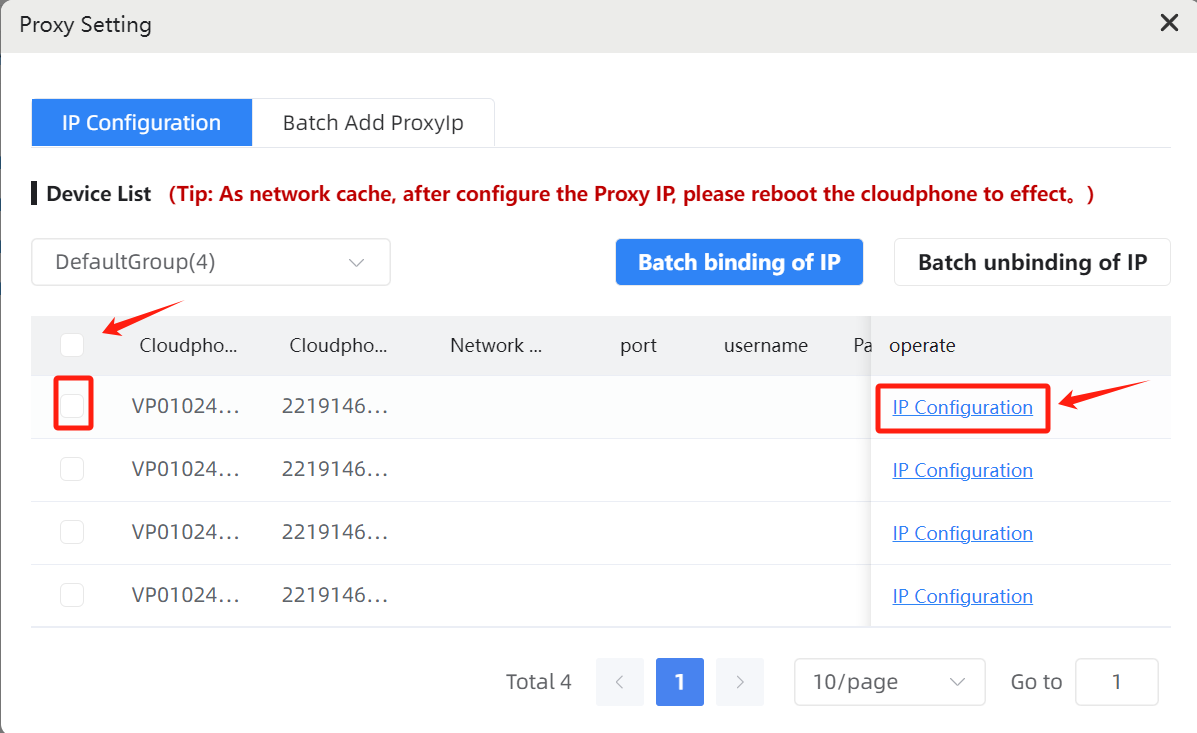
Step 2:Select the device you need to configure,Click the“IP configuration” button.
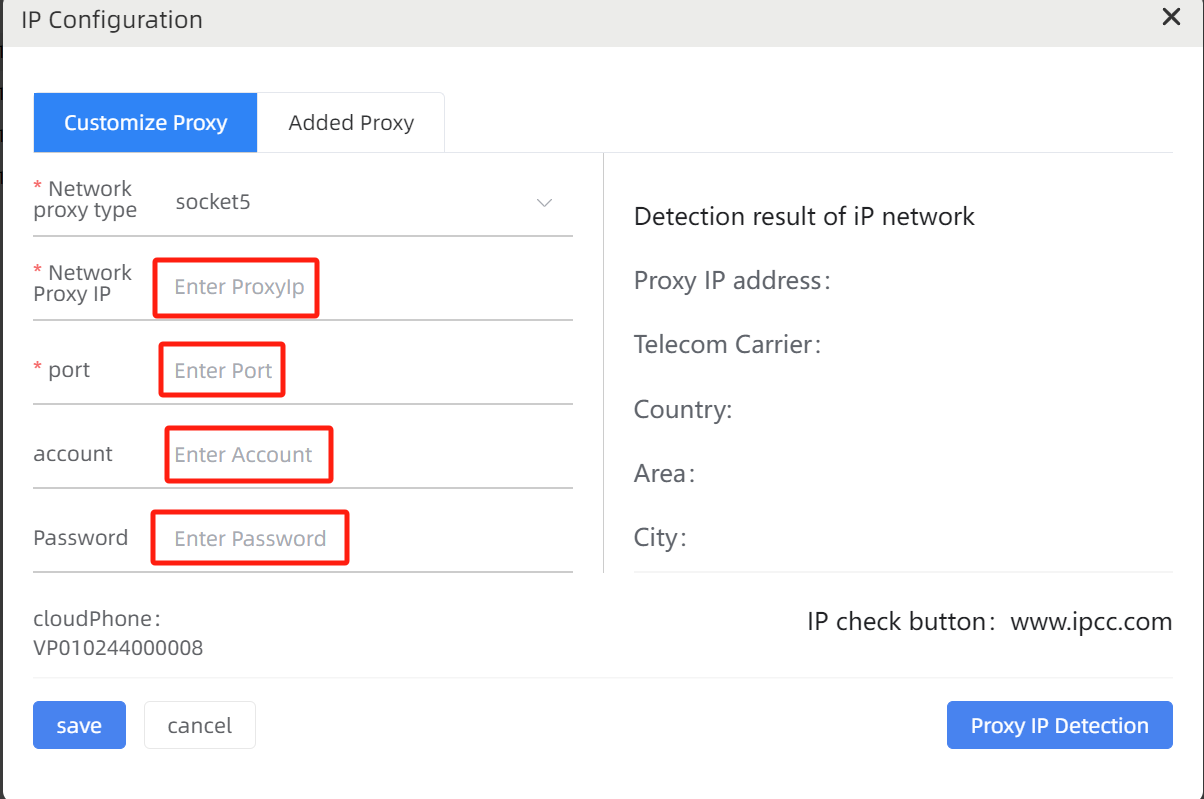
Step 3:Input the“Network Proxy IP”, “Port”, “account ” and“Password”; click the”Proxy IP Detection”button to test if the network is smooth (if the network is not working, please check if the content is entered correctly or ask the IP provider), and click the“Save”button to bind.
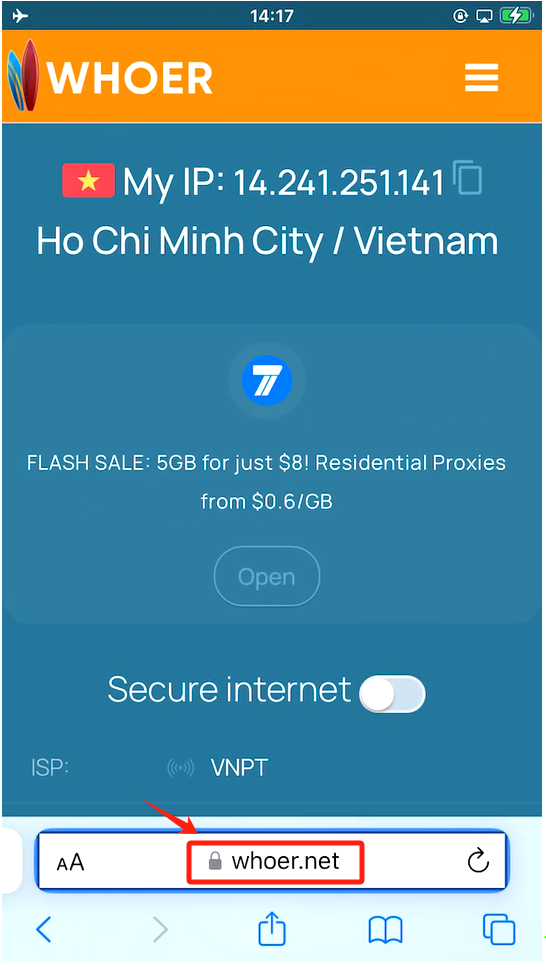
Step 4:Return to the desktop, enter the web page, and open the IP query website (such as: whoer.net). Check whether the IP has been configured successfully.