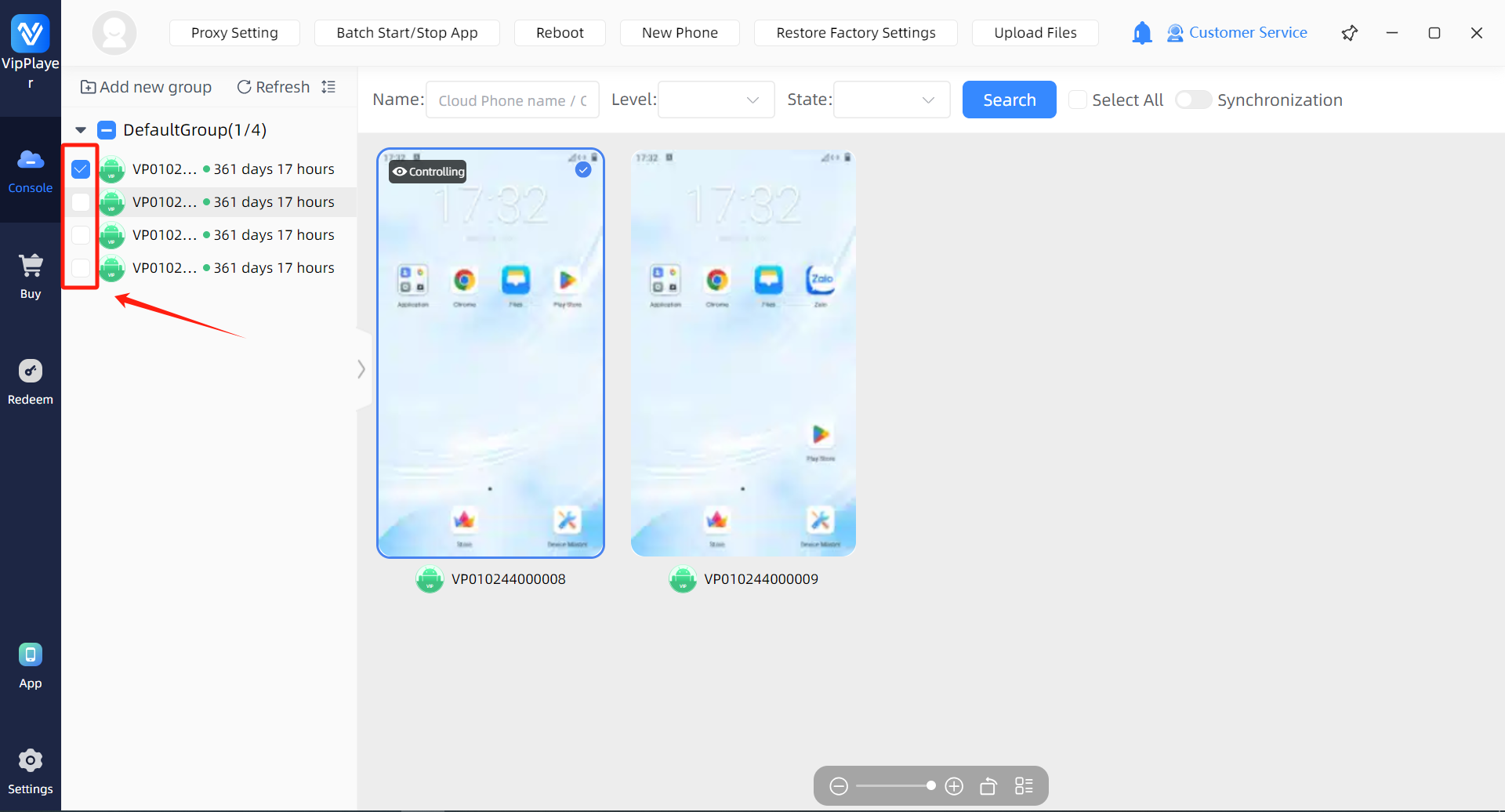
Step 1:Select the cloud phone for which you want to modify the location.
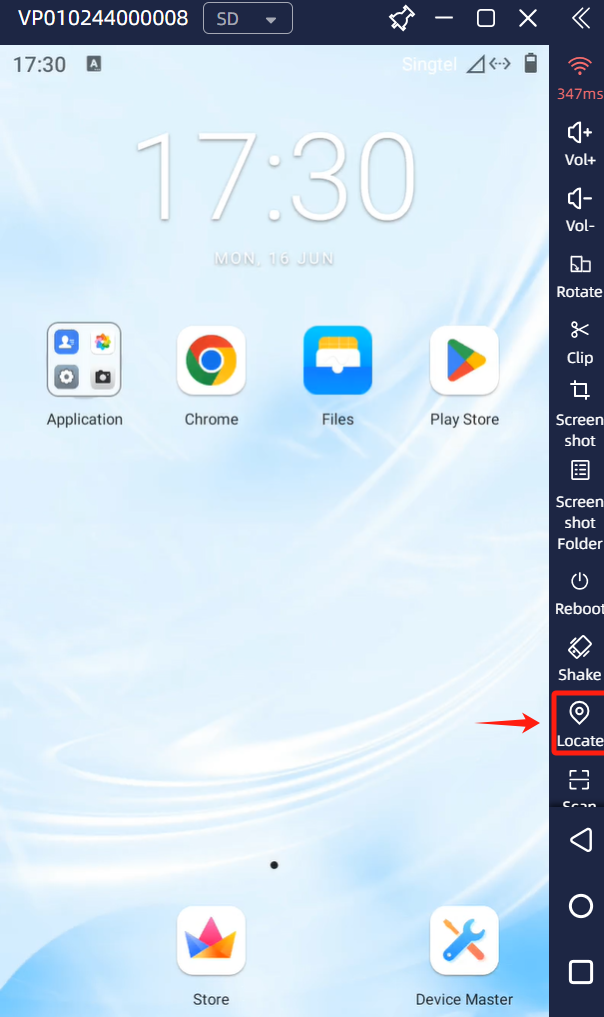
Step 2:Enter the cloud phone interface and click the “Locate” button on the right.
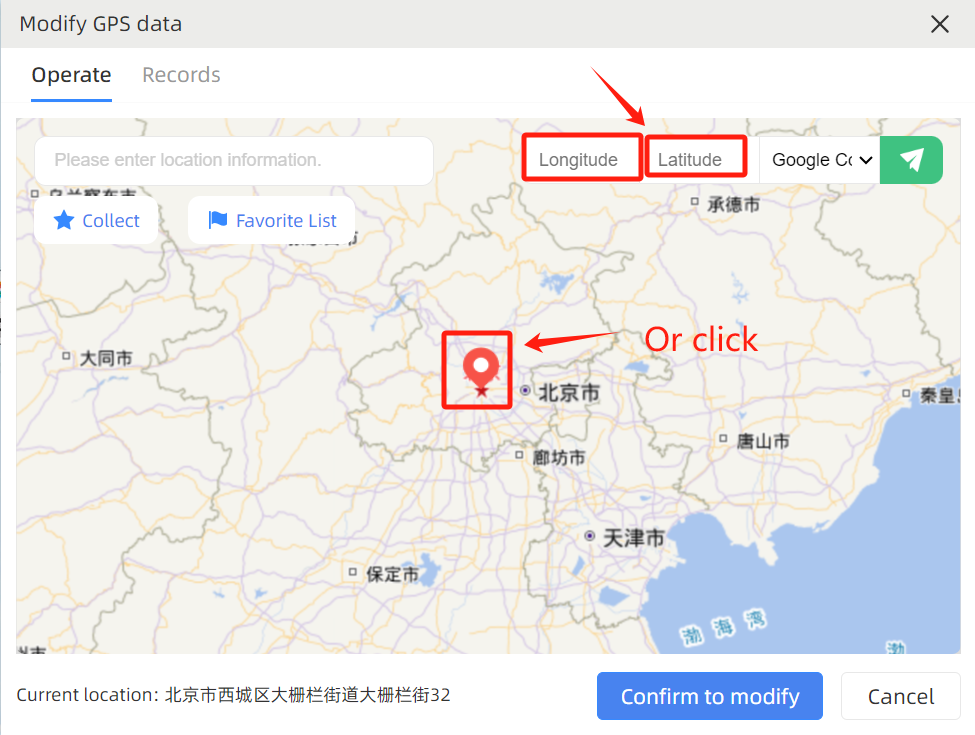
Step 3:On the pop-up map, position the mouse at the target location, or enter the longitude and latitude to determine the position, and then click “Confirm to modify”.