
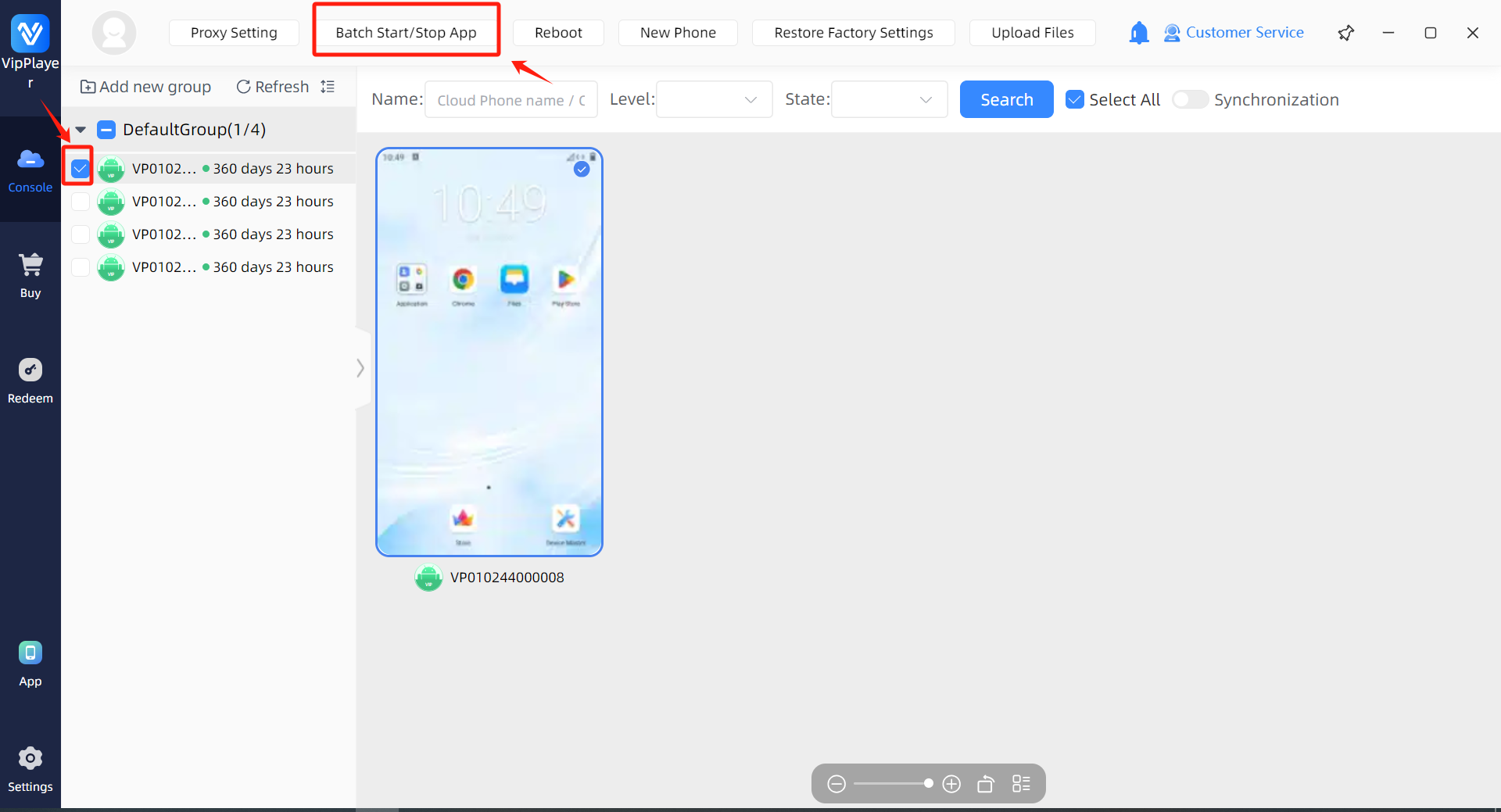
Step 1:Select the cloud phone you need to operate.
Step 2:Click the “Batch Start/Stop APP” button.
Step 3:Select the app you want to start or stop in batches and check it.
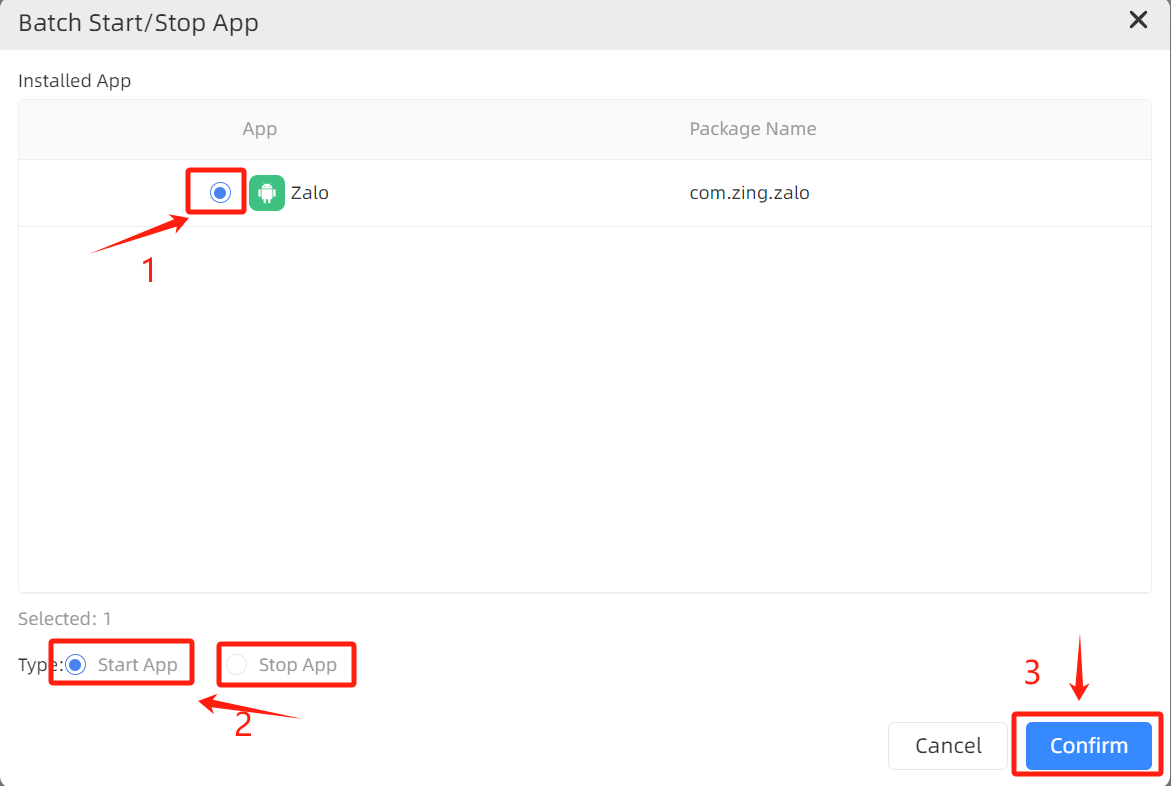
Step 4:Wait for the system response. The app in the selected devices will start or stop in batches.